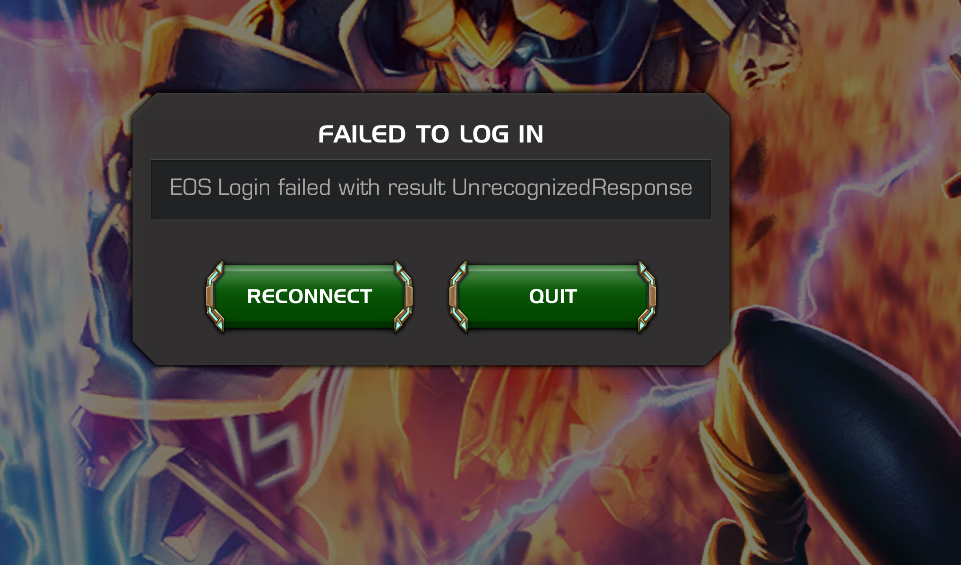


It can’t connect with Epic Online Server (EOS). Server may be overloaded, wait it out. May need a reinstall if it persists.
Already reinstalled, even upgraded to Windows 11 and installed all new updates and still getting the same error. Do I need to buy a new computer to play this game? Already crashing and lagging big time on my iPhone 13 Pro. Maybe I need a $10K computer or a $3K mobile phone? For real. This is quite unbelievable. Lols.
Workarounds that actually help (ranked by effectiveness)✅ 1. Disable IPv6 (THIS FIXES IT FOR MANY PLAYERS)EOS is notoriously flaky with IPv6.
Steps:
Control Panel → Network & Internet → Network Connections
Right-click your active adapter → Properties
Uncheck “Internet Protocol Version 6 (IPv6)”
Restart PC
🟢 This alone resolves the error for a large number of MCOC PC users.
✅ 2. Change DNS (Don’t skip this)Use a clean public DNS instead of ISP junk.
Recommended:
Google DNS:
8.8.8.8
8.8.4.4
or Cloudflare:
1.1.1.1
1.0.0.1
Restart after applying.
✅ 3. Turn OFF VPNs, Firewalls, and “Security Suites”EOS hates:
VPNs (even split tunnel)
Third-party firewalls
Some antivirus HTTPS inspection
Temporarily disable:
Bitdefender / Avast / Kaspersky / Norton
Any VPN (even if “connected but idle”)
Test login → then re-enable selectively.
✅ 4. Sync Windows Clock (Surprisingly critical)EOS authentication fails if system time drifts.
Settings → Time & Language → Date & Time
Enable:
Set time automatically
Set time zone automatically
Click Sync now
⚠️ 5. Run MCOC as AdministratorNot a magic fix, but helps if EOS can’t write temp auth tokens.
I run ipv6, never faced a problem with mcoc on PC


